
Menu
Search Ottawa Pembroke
Show your Health Plan Benefit card at the pharmacy, dentist, eye doctor, or other health care provider to use your health plan benefits!
Your health care provider will usually submit claims on your behalf, but sometimes you’ll need to pay upfront and submit claims yourself to get a refund. This is normal during the first month that your plan is active.
It can take up to 10 business days after the Student Health Plan adjustment deadline for your card to become active.
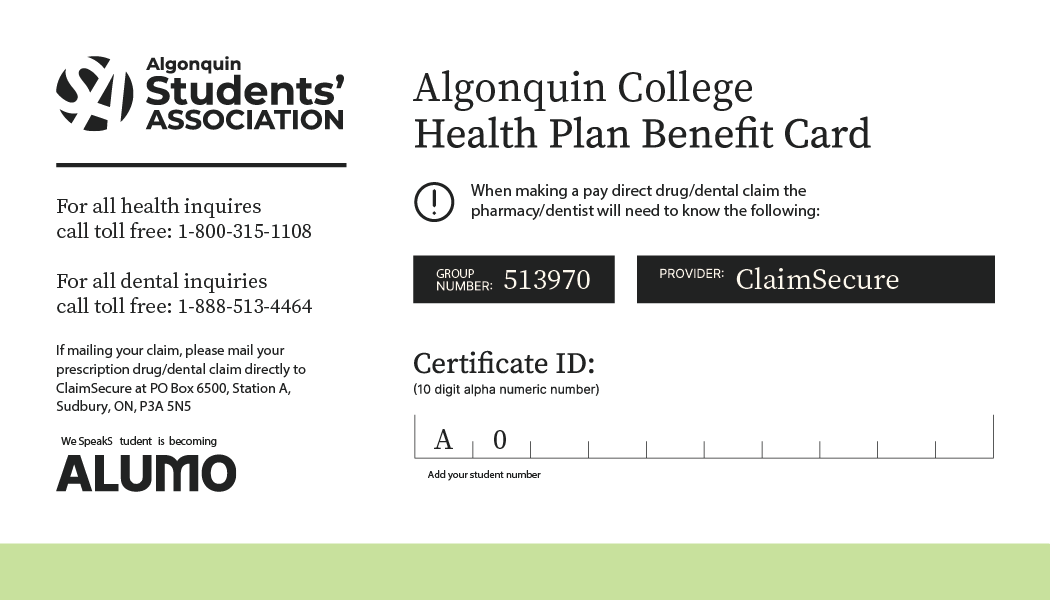
If your health care provider doesn’t accept your Health Plan Benefit card, you’ll need to pay out of pocket and submit a claim.
If your health care provider doesn’t accept the Student Health Plan Benefit Card, you’ll need to pay for your care and submit a claim to get a refund. You can submit a claim online, through the app, or by mail.
You will need to provide:
Make submitting a claim easier by downloading the ClaimSecure app. Have all your information right at your fingertips!
Download the ClaimSecure app on your personal device (App Store or Google Play).
You’ll need your…
– Group Number: 513970
– Certificate ID: A + your student number (example: A0412345678)
– Claims
– Submit PhotoClaim
– Select the benefit you are submitting for
– Take a photo or upload existing proof of your claim (receipt)
– Done!
Need help? Contact us through email healthplan@algonquincollege.com, phone (613) 727-4723 x7711, or visit the SA Office (E114) during our hours of operation.
Create or sign in to your WeSpeakStudent profile to get started.
Sign in or Create a Profile
Fill out either a prescription drug, dental, vision, or accident claim form through your profile.
Submit your form online.
Print and fill out a prescription drug, dental, vision, or accident claim form from the WeSpeakStudent website under “Booklets and Forms”
Get the Form(s)
Attach your original receipts and mail to the address written on the form.